Browser extensionEnglish Updated
Free dyslexia reading extension for your browser
Dyslexia Steps Reading Support adds a reading ruler, wider letter and line spacing, readable fonts, read-aloud with word highlighting and syllable splitting to any web page. It is free, needs no account, collects no data and works in Chrome, Edge, Firefox, Opera and Brave. The menus are in seven languages.

Install the reading extension
Chrome Web Store
Chrome, Brave, Opera, Vivaldi, Arc
In store review, link coming soon
Microsoft Edge Add-ons
Edge
In store review, link coming soon
Firefox Add-ons
Firefox (desktop and Android)
In store review, link coming soon
After installing, pin the extension to the toolbar, open any article and click its icon. Shortcuts: Alt+Shift+R reading ruler, Alt+Shift+S read the selection aloud, Alt+Shift+M reading mode.
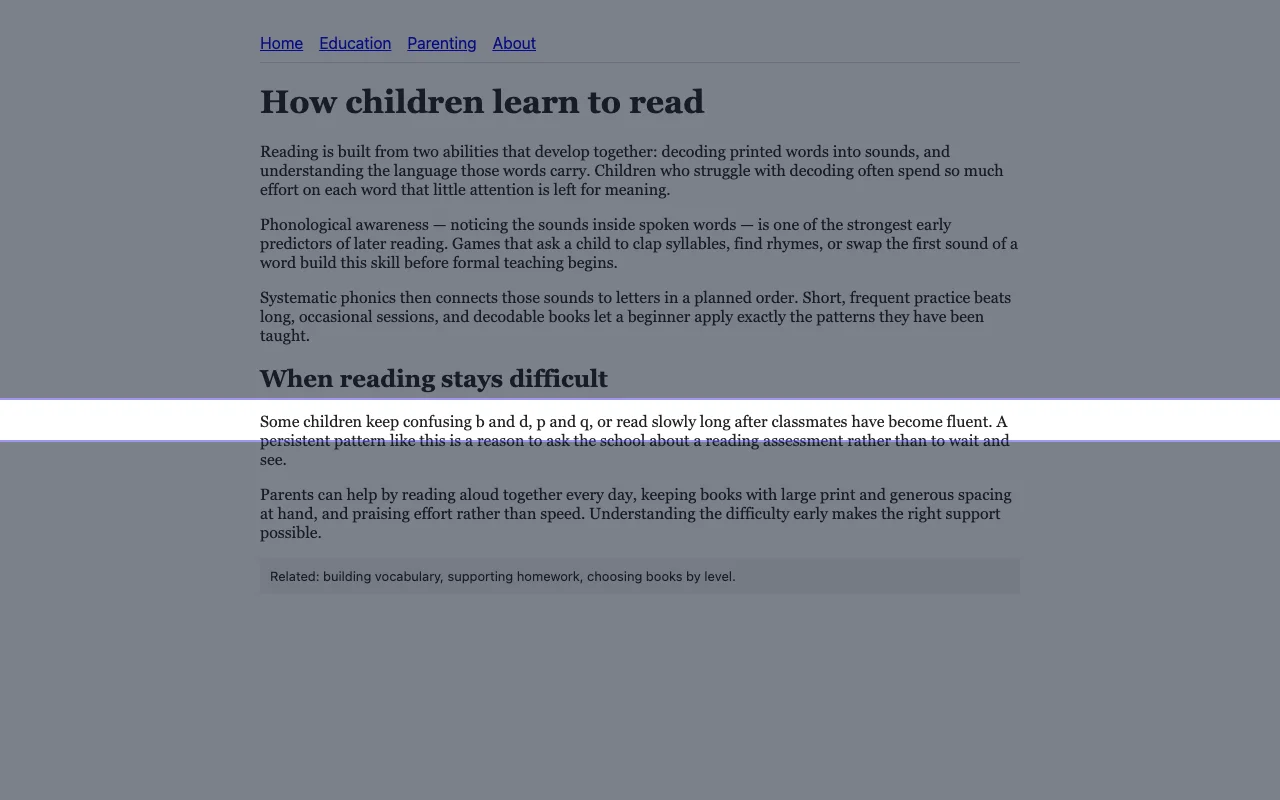
Reading ruler and line focus
A soft band follows your mouse and highlights the line you are reading. Focus mode dims everything above and below it. Alt+Shift+R turns it on or off; Alt+↑ and Alt+↓ move it line by line.
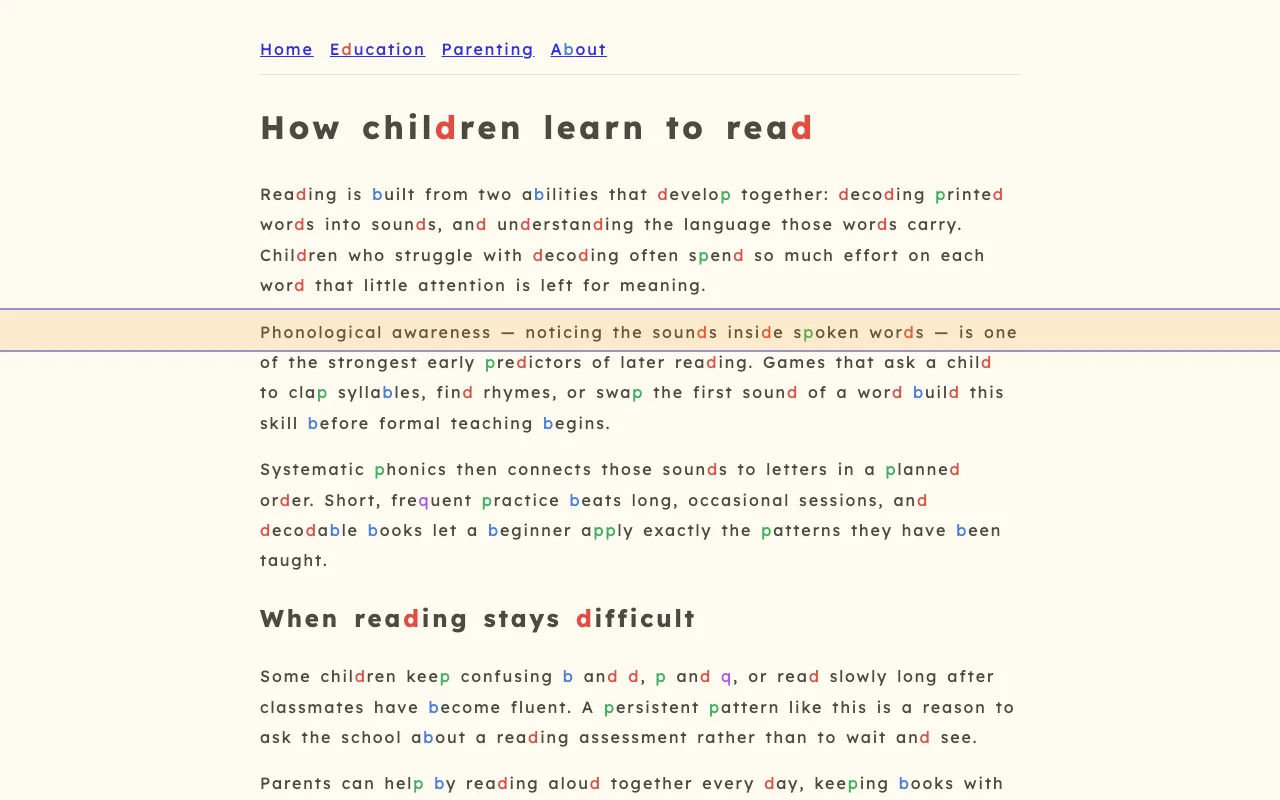
Font, letter spacing and line spacing
Keep the page font or switch to Lexend, OpenDyslexic, Arial or Verdana, then widen letter, word and line spacing with sliders. Add a cream, blue, green, rose or grey tint. Optionally colour the letters b, d, p and q.
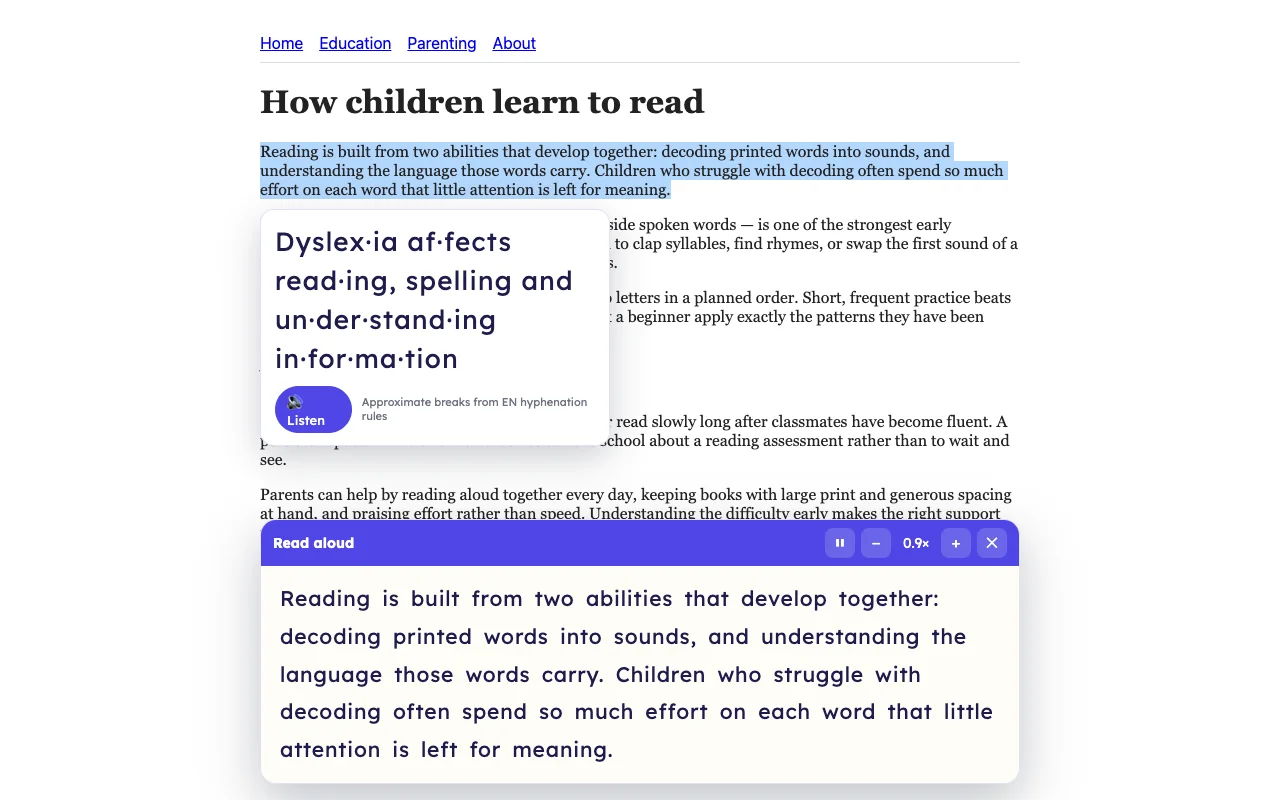
Read aloud with word highlighting and syllables
Select text and press Alt+Shift+S, or right-click and choose Read aloud. Each word lights up as it is spoken; click any word to start from there. Right-click a word and choose Split into syllables to see it broken up (read·ing) and hear it one syllable at a time.
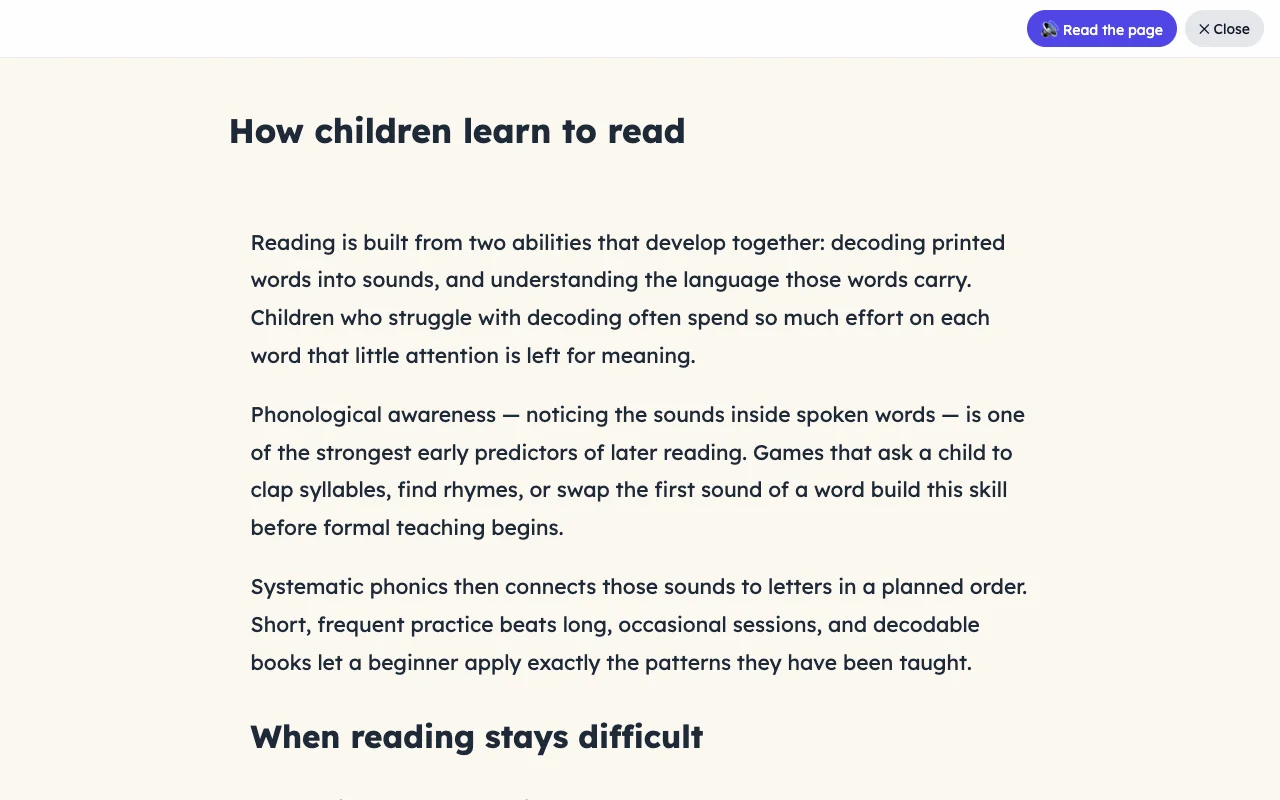
Reading mode without menus and ads
Opens the article on its own, in your font, spacing and tint, with one button to read the whole page aloud. Alt+Shift+M opens it.
What the reading extension can and cannot do
These are comfort settings, not a treatment. Controlled studies of special dyslexia fonts found no gain in reading speed or accuracy, and a systematic review found no good evidence for coloured overlays; wider letter spacing helped some children with dyslexia read faster in one study. The research and the same settings for pasted text are on the dyslexia friendly font tool.
Read-aloud gives access to texts that are hard to decode, the same reason adults with dyslexia use text-to-speech at work. Slow reading in any font usually comes from decoding, which the free dyslexia test checks along with five other reading skills.
Privacy policy for the extension
Applies to Dyslexia Steps Reading Support, version 1.0 and later. Last updated 2026-11-25.
- The extension collects no personal data. There is no account, no analytics, no advertising and no tracking, and nothing you read, select or hear is sent to Dyslexia Steps or anyone else.
- Your settings (font, spacing, ruler, tint, speech rate and voice) are saved with your browser's own sync storage, so they follow you if you are signed in to your browser. Uninstalling the extension deletes them.
- Read-aloud uses the voices already installed in your browser or operating system. Some browsers use online voices supplied by the browser maker; that is between you and your browser, and the extension does not see it.
- The extension only touches a page when you open it there, use the right-click menu or a keyboard shortcut. If you turn on "Keep on for every site", the browser asks you for permission to run it on every page; you can turn this off at any time.
- When you install or uninstall it, your browser opens this page so you can see what it does or tell us why you left. The page uses the same analytics as the rest of dyslexiasteps.com, described in our privacy policy.
- From version 1.0.1 the extension also counts, on your device only, on how many different days you have used it, so that after five days it can show a one-time link to rate it in the store. The count is never sent anywhere, and it is deleted when you uninstall the extension.
- The source code is public and MIT-licensed, so anyone can check these statements.
Source code: github.com/Dyslexia-Steps/dyslexiasteps-extension. The website itself is covered by the Dyslexia Steps privacy policy.
Reading extension: frequently asked questions
Is the Dyslexia Steps reading extension free?
Yes. It is free, has no paid features and needs no account.
Do dyslexia fonts in the extension improve reading?
Controlled studies of special dyslexia fonts such as OpenDyslexic found no improvement in reading speed or accuracy, and coloured overlays are not supported by good evidence. Wider letter spacing helped some children with dyslexia read faster in one study. The extension offers all of these as comfort settings: use what feels easiest.
Which languages does it support?
The menus are in English, German, French, Spanish, Dutch, Portuguese and Turkish. Syllable splitting works in the same seven languages, and read-aloud works in any language your browser has a voice for.
Does it work on PDFs and Google Docs?
Not yet. Browsers do not let extensions change the built-in PDF viewer, and Google Docs draws its text in its own way. It works on ordinary web pages such as articles, school portals, Wikipedia and news sites.
Can schools install it for all students?
Yes. Administrators can push it to managed Chromebooks and browsers from the Google Admin console or Microsoft Edge policies, like any other store extension. It needs no sign-in and collects no student data.
Is this a dyslexia test or a treatment?
Neither. It is a reading-comfort tool. If you want to know whether reading difficulties might be dyslexia, the free Dyslexia Steps screening test checks six reading skills; only a qualified specialist can diagnose dyslexia.